Want a page you can link from your GitHub or personal site showing the Hack Club events you’ve been to? Attend can give you one — entirely opt-in, off by default, and built to share as little as possible unless you say otherwise. A public profile page with an event map

What’s on it

Your public page (at attend.hackclub.com/p/your-name) can show:
  • your preferred name and pronouns,
  • a short bio, location, and links (website, GitHub, X, LinkedIn, Mastodon, Bluesky),
  • the Hack Club events you attended, with a map,
  • optionally, a photo.

What’s protected by design

  • It’s off until you turn it on. No page exists otherwise — the link just 404s.
  • Only past events you actually attended are eligible: an event can appear only after it has ended, and only if you checked in at it. Upcoming events are never shown — your profile can’t reveal where you’re going to be.
  • You choose per event. Each eligible event has its own checkbox.
  • Photo is off by default. Without it, your page shows your initial.
  • Hidden from search engines. The page asks Google & co. not to index it.

Setting it up

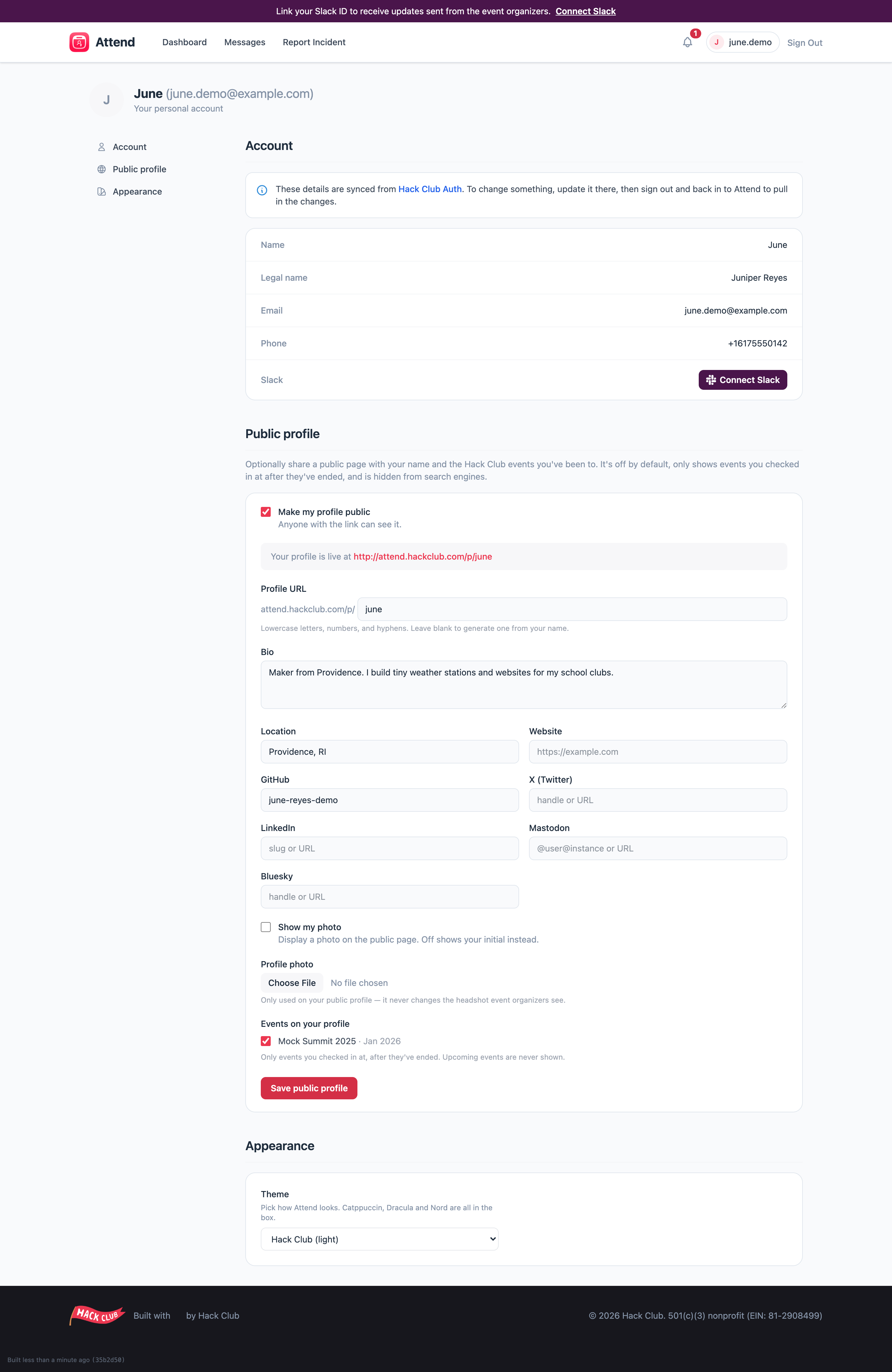
  1. Click your name in the top-right and open your profile settings.
  2. Scroll to Public profile.
  3. Tick Make my profile public, choose your URL, and fill in whatever you want to share.
  4. Tick the events you want to show, and Save.
The public profile settings You can edit or switch the whole thing off at any time — the page disappears immediately.
Under 18? Think about what you share. Bio, links, and location are entirely optional — a sparse profile is a fine profile.